Skip to content

Work

What we build, shown on sample businesses.

We name a client only after they agree in writing. Until then, this page shows sample builds for the kinds of business we serve, made with the same product our clients use. Every business here is invented, and each demo says so on its own page.

Sample builds

Four businesses, all invented, all labelled.

For each one: the brief, what we built, and what the owner sees.

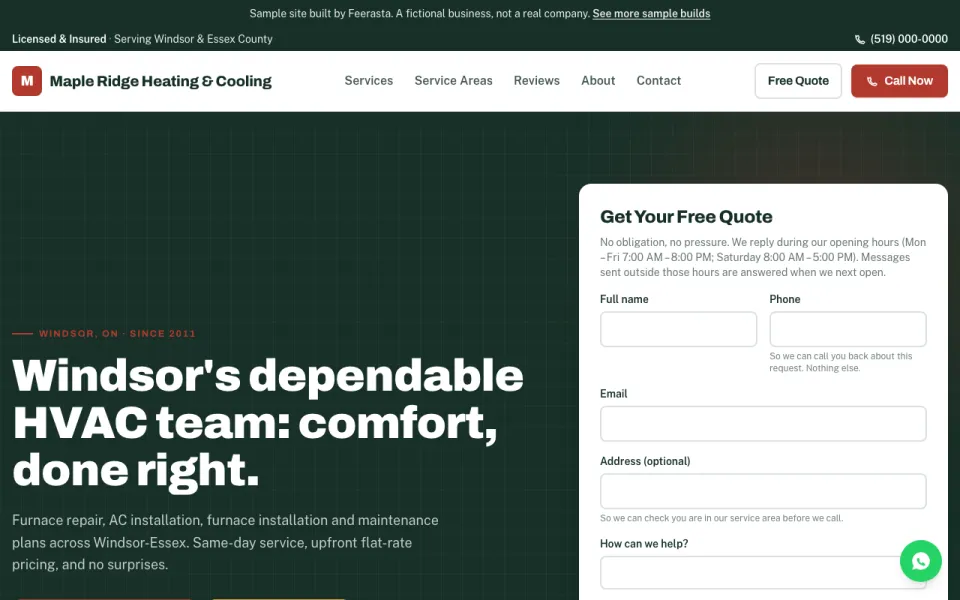
Sample website for Maple Ridge Heating and Cooling, a fictional Windsor heating company. A banner across the top reads: Sample site built by Feerasta. A fictional business, not a real company.
The sample website, built from our Studio template. The banner on every page says it is a fictional business.
Sample build, not a client

Maple Ridge Heating & Cooling

Trades and home services

The brief
A heating and cooling company misses calls while its technicians are on jobs, and cannot see which calls turned into work.
What we built
A website from our Studio template: a home page, a page for each service and each service area, an about page, and a contact page with a short quote form. Behind it, a sample workspace with 90 days of invented history: calls the assistant answered, booking requests, quotes and reviews.
What the owner sees
Every call in one line, with what happened and the words that were said. Booking requests wait for the owner to approve them before anything is confirmed. The first and third clips below are recorded in this workspace.

The sample website is shown on a walkthrough; it is not on a public address yet.
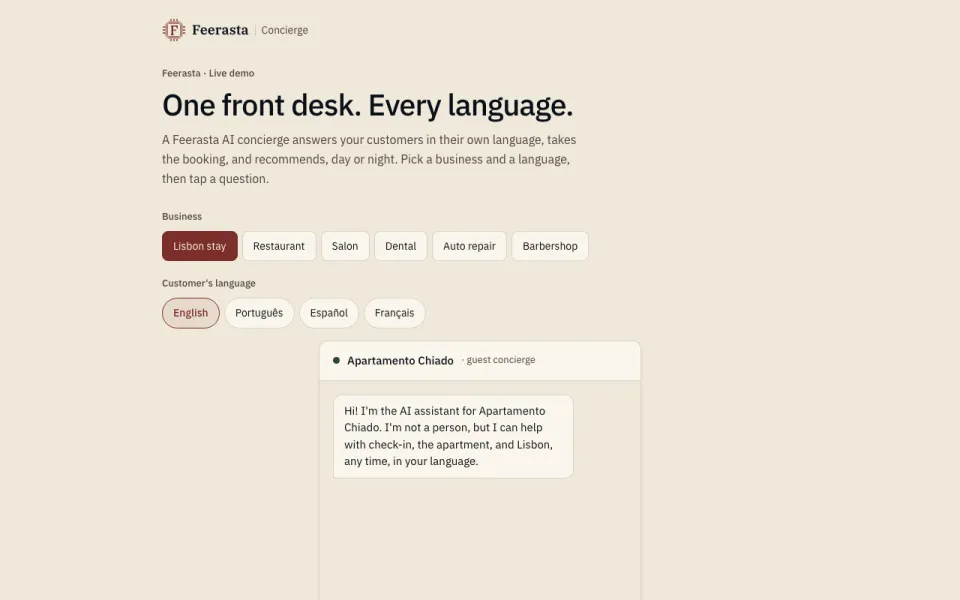
The Feerasta Concierge demo page, labelled Live demo, with a choice of sample businesses and languages and a chat answering a guest at a sample Lisbon apartment.
The live demo. It says on the page that it uses sample answers.
Sample build, not a client

Concierge for a Lisbon stay and a restaurant

Hospitality

The brief
A short-stay apartment and a restaurant get the same questions in many languages, at every hour of the day.
What we built
A concierge demo that answers in the guest's own language. Pick one of six sample businesses, pick a language, and tap a question to see the answer.
What the owner sees
In a live setup the answers come from the business's own hours, prices and menu, and the assistant always says it is an AI. Anything that needs a decision waits for a person.
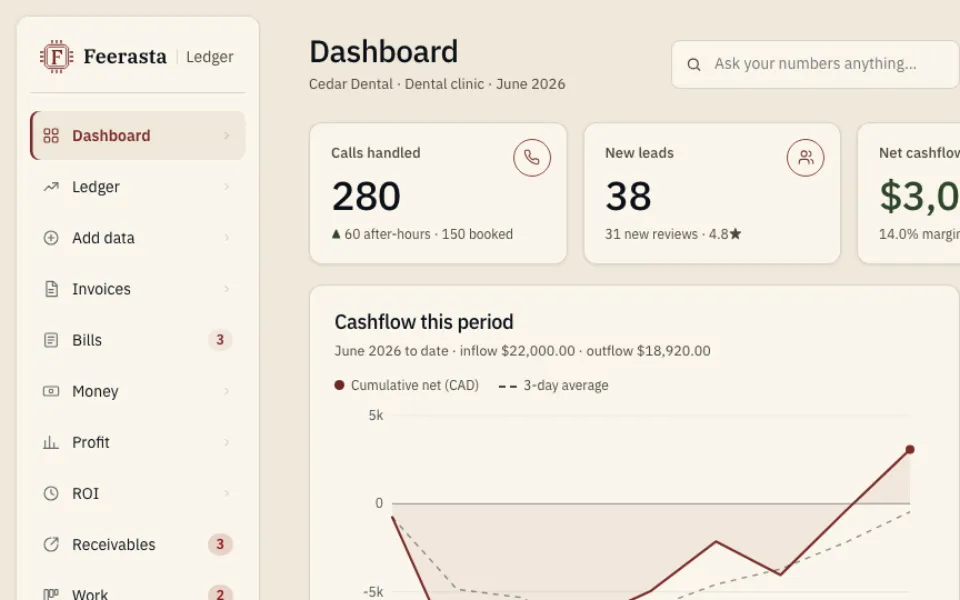
The Feerasta Ledger demo dashboard for Cedar Dental, a sample dental clinic, showing calls handled, new leads, net cash flow and a cash flow chart.
The live demo with the sample dental clinic selected. It is marked Demo and spends nothing.
Sample build, not a client

Cedar Dental, in Feerasta Ledger

Professional services

The brief
A practice owner wants the books kept and supplier overcharges caught, without learning accounting software.
What we built
A bookkeeping demo with six example businesses, from a dental clinic to a trades contractor. Supplier invoices are checked against a price book; overcharges and possible duplicates are flagged with the dollar amount; and there is a box to ask about your numbers in plain words.
What the owner sees
One dashboard: cash this period, bills to pay, alerts and a monthly report. Postings and reminders arrive as drafts for approval, and the accountant still files the taxes.

On the demo, choose "explore the live demo", then pick Cedar Dental from the business list.

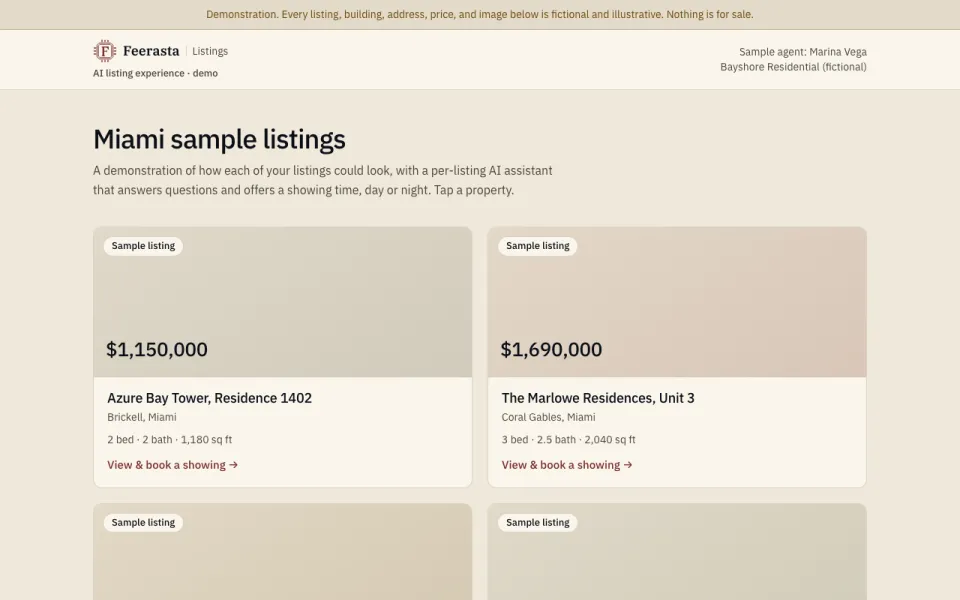
The Feerasta Listings demo, with a banner saying every listing, address, price and image is fictional, a sample agent named Marina Vega of Bayshore Residential (fictional), and listing cards each tagged Sample listing.
The live demo. Every listing, agent, address, price and image on it is fictional.
Sample build, not a client

Listings for a sample Miami agent

Property

The brief
An agent wants each listing to answer buyers' questions and offer a showing time, day or night.
What we built
A page for each listing with an assistant that answers questions about that property and offers a showing time. The property images are computer generated, not photographs of real homes.
What the owner sees
The demo books nothing and collects no details. In a live setup a showing request comes to the agent to confirm, in the same approval queue shown in the first clip below.

The product, recorded

Three short clips of the real product.

Recorded from the live product on sample data. No sound; captions describe each step. Press play when you are ready.

Sample data

A booking request waits for your OK

The approval queue in a sample workspace. The assistant took a booking request for a furnace repair visit on Tuesday at 10am. It waits until the owner presses Approve, then moves to the Approved tab.

Sample data

Every lead in one list, filtered in seconds

The Leads page in our own console, with sample leads. Filtering by source (website form) and by the last 7 days narrows the list to six; searching for a word finds the one that matches.

Sample data

Each call, word for word, with what happened

The Calls page in a sample workspace. Each call is one line with its outcome; this one is marked Booked. Opening "What was said" shows the transcript: the assistant takes the details, reads them back and books a tune-up.

Recorded 30 October 2026. Every name, number and business in these clips is invented.

How we work

You see it working before your customers do.

  1. Draft first

    Your workspace opens in draft mode. Replies and bookings wait for your approval.

  2. You test it

    We set up your line or tools with you, and you try them before any customer does.

  3. You decide

    You choose what to switch on, read the first report, and decide to stay or go.

For websites, we design your homepage first and show it to you before you pay anything. How Studio works.

Client case studies

Real client work appears here only with the client's written approval.

No client case study is published yet. When one is, it will name the business, say what we built, and show only figures the client has checked.

Meanwhile, you can read how we run our systems on our own family business, which is our own deployment, not a client.